


Quick Answer
Factor | Webflow | WordPress |
Out-of-the-box speed | Fast by default (AWS + Fastly CDN) | Depends on hosting + optimization |
Long-term speed at scale | Plateaus after CMS limits | Scales further with proper caching/CDN setup |
Technical SEO control | Native, but code-locked in places | Full backend access, infinitely customizable |
Plugin dependency | None – but also less flexibility | Higher – but ecosystem is mature and battle-tested |
Content scalability | CMS Collection limits apply | No documented content ceiling |
AI Overview / AEO readiness | Limited schema flexibility | Full schema control (FAQPage, Article, HowTo, etc.) |
Cost over 3 years | Predictable, but locked into plans | Variable, but cheaper at scale with the right maintenance partner |
Best for | Small marketing sites, agencies, landing pages | Content-heavy sites, ecommerce, businesses planning to scale |
Neither platform is inherently “better” for SEO – WordPress wins on scalability, cost-efficiency, and AI-search readiness when properly maintained; Webflow wins on out-of-the-box speed and technical cleanliness for smaller sites. For most growing businesses in 2026, WordPress paired with active maintenance and speed optimization outperforms Webflow long-term, especially past 50+ pages.
The Real 2026 Verdict – It’s Not About the Tool
Every comparison you’ve read frames this as Webflow vs WordPress like it’s a boxing match with one winner. It isn’t. The real question is:
What does your site need to do in 18 months, not today?
Here’s what most comparisons skip: Google’s ranking systems in 2026 care less about which CMS you use and more about page experience signals – Core Web Vitals, structured data completeness, content depth, and now, whether your content gets pulled into AI Overviews at all. A CMS is a delivery mechanism. It doesn’t write better content, and it doesn’t build topical authority for you.
That said, the platforms do differ in how much friction stands between you and good SEO execution. Let’s go factor by factor.
1. Site Speed & Core Web Vitals in 2026
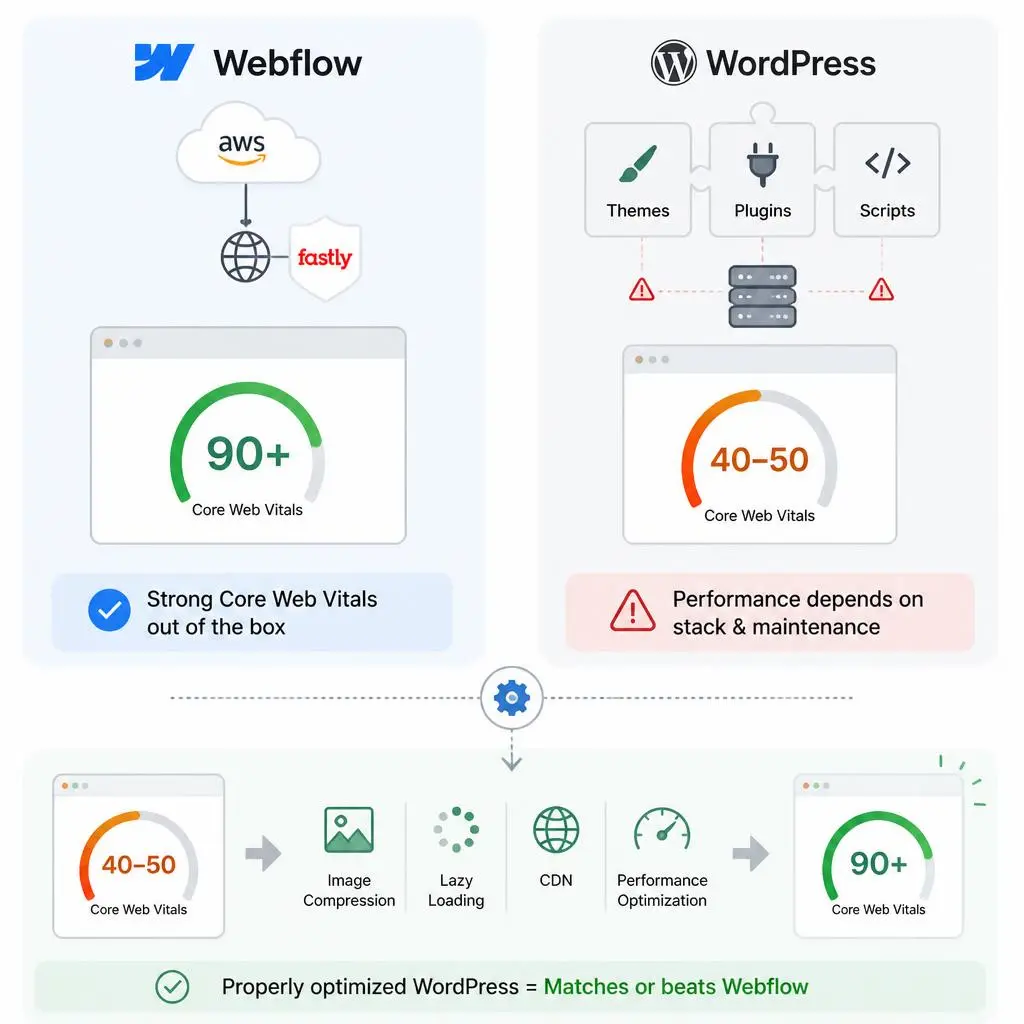
Webflow’s managed hosting (AWS + Fastly CDN) gives you strong Core Web Vitals scores from day one – no configuration needed. That’s a real advantage for teams without dev resources.
WordPress speed, meanwhile, depends entirely on your hosting stack and how disciplined your plugin usage is. This is the single biggest reason WordPress sites get a bad reputation for being slow – not the CMS itself, but bloated themes and unmaintained plugin stacks stacking render-blocking scripts on top of each other.
Here’s the part most comparisons leave out: a properly optimized WordPress site on quality hosting with lazy loading, image compression, and a CDN layer will match or beat Webflow’s Core Web Vitals scores. We’ve taken client sites from sub-50 PageSpeed scores into the 90s purely through Website Speed Optimization Services – no platform migration required. Speed on WordPress isn’t a ceiling. It’s a maintenance discipline.
2. Technical SEO Control: Structure, Redirects, Crawlability
Webflow bakes in XML sitemaps, robots.txt handling, and redirect management natively – no plugin required. That’s genuinely convenient for simpler sites.
WordPress needs a plugin (or manual .htaccess editing) to manage redirects, which adds a layer most non-technical users find intimidating. But here’s what gets buried in most comparisons: WordPress gives you unrestricted access to your HTML, server config, and crawl directives. Webflow’s “native” SEO tools are convenient, but they’re also a walled garden – you’re limited to what Webflow’s settings panel exposes.
For businesses planning custom URL architecture, faceted navigation, or programmatic SEO at scale, that unrestricted access matters more than convenience. It’s why agencies building SEO-friendly website design almost always default to WordPress for anything beyond a marketing site.
3. Plugin Dependency vs Native SEO Tools
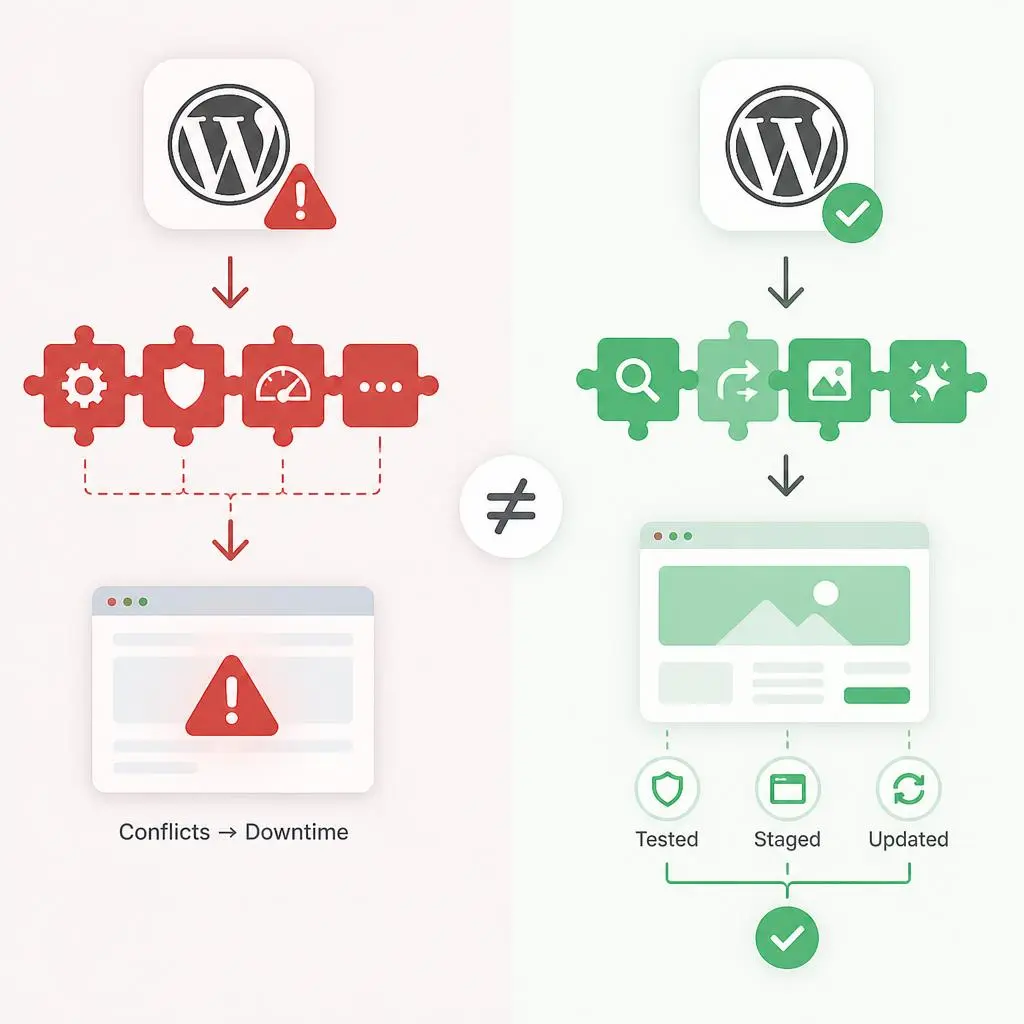
This is Webflow’s strongest talking point, and it’s not wrong – plugin conflicts are a real WordPress pain point. A poorly maintained plugin stack absolutely can break a site.
But “plugin dependency” cuts both ways. WordPress’s plugin ecosystem means you can add exactly the SEO capability you need – schema builders, redirect managers, image compressors, AI content scoring – without waiting on a platform vendor to build it for you. Webflow’s “no plugins” pitch is really “no choice.” You get what Webflow decided to ship.
The plugin-conflict problem isn’t a WordPress problem – it’s an unmaintained-WordPress problem. Sites under active WordPress maintenance for small business rarely see conflict-driven downtime because updates get tested and staged before going live, not applied blindly.
4. CMS & Content Scalability for SEO Teams
Webflow’s CMS Collections are genuinely elegant for structured content – until you hit their item limits or need complex taxonomies. Most Webflow plans cap you well below what a content-heavy site eventually needs.
WordPress has no documented content ceiling. Sites publishing thousands of posts, multiple content types, and complex taxonomy structures run on WordPress because it was built for exactly that. If your content strategy involves regular publishing cadence – and freshness signals matter more in 2026’s AI-search era than ever – that scalability compounds. Teams that stay on a consistent publishing rhythm (see our breakdown on how often you should update your website) see the biggest long-term gains, and WordPress removes the platform ceiling that would otherwise cap that strategy.
5. Hosting, Security & Uptime as Ranking Signals
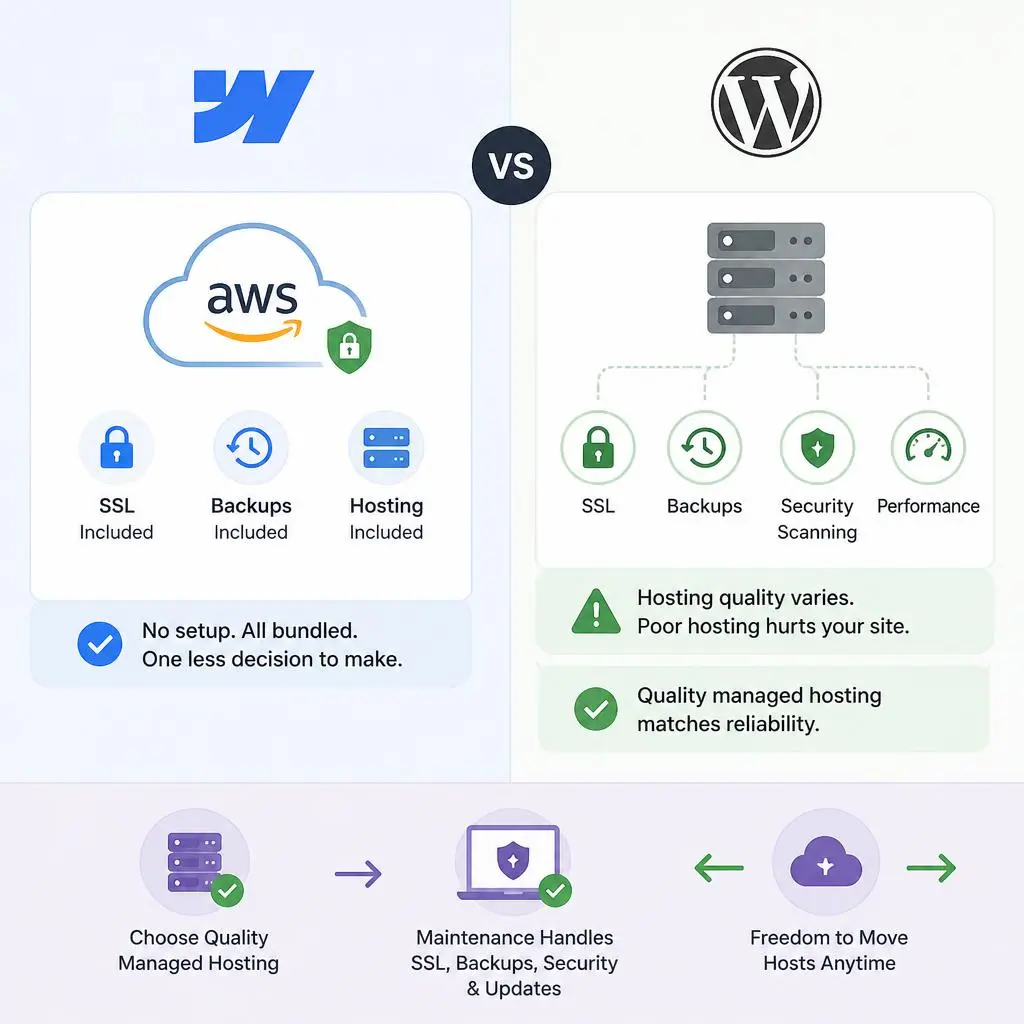
Webflow’s bundled hosting removes a decision point – you get AWS-backed infrastructure with SSL and backups included, no setup required.
WordPress hosting quality is genuinely variable – this is a fair criticism. A $3/month shared host will hurt your SEO. But that’s a hosting-choice problem, not a platform limitation. Quality managed WordPress hosting matches Webflow’s reliability, and you retain the freedom to change hosts if performance drops – something Webflow users can’t do since hosting is locked to the platform. The overhead critics point to (SSL, backups, malware scanning) is exactly what proactive why website maintenance is important covers – it’s a solved problem, not an open risk, once you have the right maintenance setup.
6. Scaling SEO Without Developer Bottlenecks
Webflow markets itself heavily on this point: marketers can ship changes without engineering. That’s true, and it’s a real advantage for lean teams.
But WordPress with the right maintenance partner closes this gap almost entirely. Meta tag updates, schema changes, redirect deployment – none of these require a developer once you’re set up on a solid theme/plugin foundation with a team that understands SEO execution, not just uptime monitoring. This is the exact gap Best WordPress Maintenance Services exists to close – SEO teams get Webflow-level execution speed without giving up WordPress’s flexibility ceiling.
7. On-Page SEO Features Compared
Meta Titles & Descriptions
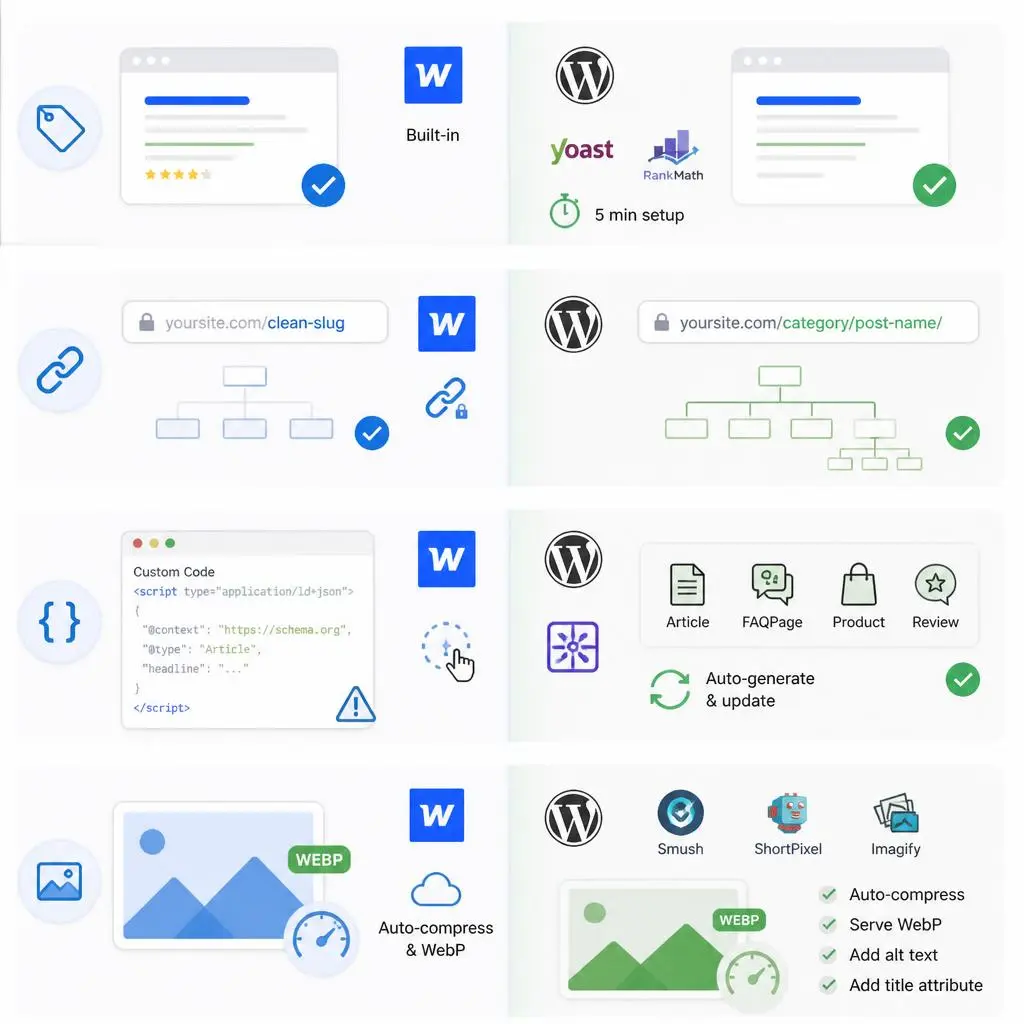
Both platforms handle this well. Webflow does it natively; WordPress needs Yoast or RankMath – a five-minute setup that most sites already have anyway.
URL Structure & Slugs
Webflow’s CMS Collection slugs are clean but rigid. WordPress permalinks are more flexible, though you need discipline to avoid category clutter or duplicate archive pages.
Schema Markup
This is where the gap is bigger than most comparisons admit. Webflow requires manually pasting JSON-LD into custom code embeds – fine for a simple Article schema, painful for nested or dynamic schema across hundreds of pages. WordPress schema plugins auto-generate and dynamically update FAQPage, Article, Product, and Review schema at scale with zero manual code. For AI Overview eligibility specifically, this matters enormously – more on that below.
Image Optimization
Webflow auto-compresses images and serves WebP by default – a genuine convenience. WordPress needs a plugin (Smush, ShortPixel, Imagify), but once set up, it runs automatically. The bigger issue on WordPress sites isn’t compression – it’s missing alt text and title attributes, which is a content-team discipline problem, not a platform limitation. See our image SEO alt text and file names guide for the checklist most teams skip.
8. AI Overview & AI Search Visibility (AEO) in 2026 – The Factor Most Comparisons Miss
Here’s the gap in nearly every Webflow vs WordPress comparison online right now: none of them address AI Overview and AI-search visibility directly, even though it’s arguably the biggest SEO shift since mobile-first indexing.
AI Overviews extract content based on structured, quotable, well-labeled information – clear bolded lead-ins, comparison tables, FAQ schema, and numbered breakdowns. Both platforms can produce this. But WordPress’s schema plugin ecosystem gives you dynamic, site-wide structured data updates without touching code – meaning your entire content library can be AI-Overview-optimized retroactively. On Webflow, that’s a page-by-page manual code job.
If AI-search visibility is a growth priority for your business in 2026 (and it should be), the platform that lets you deploy structured data at scale with the least friction has a real, measurable edge. That’s WordPress, provided your schema is actually configured correctly – which is where most sites, ironically, fall short regardless of platform.
9. Long-Term Cost & Maintenance Ownership
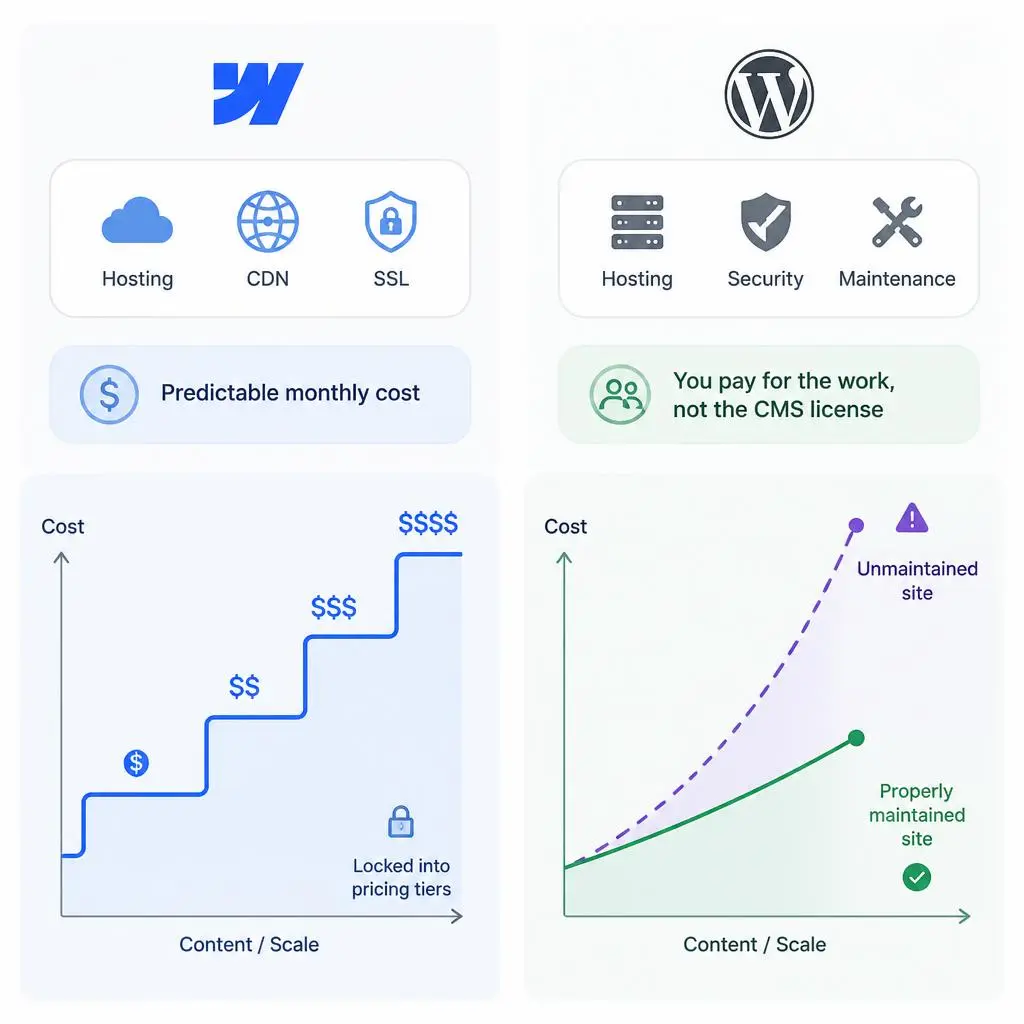
Webflow’s pricing is predictable – you know your monthly cost upfront, and it includes hosting, CDN, and SSL. The tradeoff: you’re locked into Webflow’s pricing tiers as you scale, and there’s no “cheap tier” once you outgrow the basics.
WordPress’s true cost isn’t hosting – it’s maintenance quality. An unmaintained WordPress site costs more in lost rankings, security incidents, and emergency fixes than any Webflow plan. A properly maintained one costs less than Webflow at scale, because you’re not paying a platform premium for content volume – you’re paying for the work, not the CMS license.
10. Which Platform Should You Actually Choose?
- Choose Webflow if: you’re a small team shipping a marketing site or landing pages, have no dev resources at all, and your content plan stays under a few hundred pages.
- Choose WordPress if: you’re planning to scale content, need full schema/AEO control, run ecommerce, or want a platform that doesn’t cap your growth ceiling – and you’re willing to pair it with proper maintenance instead of a “set and forget” mindset.
Conclusion
The honest answer is that Webflow and WordPress are both capable of ranking in 2026 – the platform was never the bottleneck most people think it is. Webflow removes setup friction; WordPress removes growth ceilings. If you’re optimizing for where your business will be in two years, not just this quarter, WordPress’s flexibility and AI-search-readiness make it the stronger long-term bet, provided it’s actually maintained instead of left to rot with an outdated plugin stack.
That’s the part most comparisons skip entirely: the platform doesn’t win or lose SEO battles on its own. Execution does. If you want a technical audit of your current site or want to explore what Affordable SEO Web Design looks like for your specific setup, visit rydesk.com or contact us – we’ll tell you honestly whether WordPress is the right call for where you’re headed, not just where you are.
FAQs
1. Is Webflow better than WordPress for SEO in 2026?
Neither is universally better. Webflow wins on out-of-the-box speed and simplicity; WordPress wins on scalability, schema flexibility, and long-term cost once properly maintained.
2.Can WordPress actually compete with Webflow’s speed?
Yes – a well-optimized WordPress site on quality hosting with proper caching and image compression matches or beats Webflow’s Core Web Vitals scores. Speed is a maintenance outcome, not a platform limitation.
3.Do I still need SEO plugins on WordPress in 2026?
Practically, yes. Yoast or RankMath remain the fastest way to manage meta data, schema, and technical audits without custom code, and they’re far more mature than Webflow’s manual code-embed approach.
4.Is Webflow or WordPress better for AI Overview visibility?
WordPress has the edge here. Schema plugins let you deploy structured data (FAQPage, Article, HowTo) site-wide automatically, while Webflow requires manual code per page – a major bottleneck for AI-search optimization at scale.
5.Will I lose SEO rankings if I migrate between platforms?
Only if you skip the migration checklist – 301 redirects, URL mapping, metadata transfer, and sitemap resubmission. Done correctly, migration risk is minimal regardless of direction.
6.Which platform is cheaper long-term?
Webflow is more predictable early on. WordPress becomes cheaper at scale because you’re not paying a rising platform fee for content volume – you’re paying for maintenance quality instead.
7.Can WordPress scale to 1,000+ pages as well as Webflow?
Better, actually. WordPress has no documented content ceiling, while Webflow’s CMS Collections hit plan-based item limits that force upgrades or workarounds at scale.
8.Which platform is better for a small business with no in-house dev team?
Both work. Webflow needs less setup initially. WordPress needs a maintenance partner instead of an in-house developer – which, for most small businesses, ends up being the more cost-effective long-term solution.