

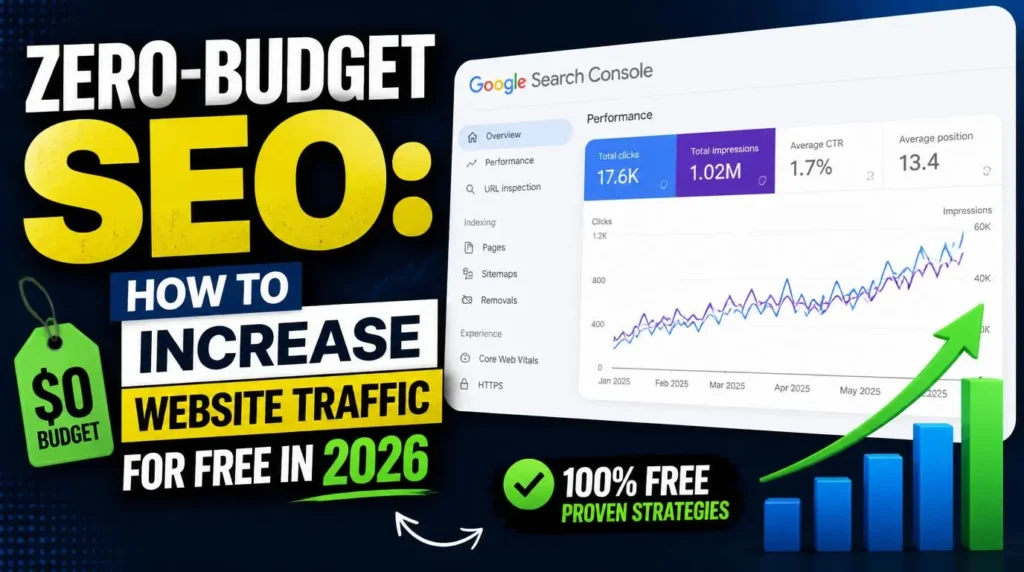
Quick Answer
What You’ll Learn | Why It Matters |
Why “free SEO” really means “time-for-money SEO” | Sets realistic expectations before you invest hours |
How site architecture affects crawling and AI Overviews | Bad structure caps your visibility no matter how good your content is |
Why updating old content beats publishing new content | Google rewards freshness and depth on proven URLs |
The technical leaks that quietly kill free traffic | A slow, broken site cancels out every other free tactic |
A no-cost action checklist for 2026 | Turns theory into things you can do this week |
Google’s AI Overviews now answer a huge share of queries before anyone clicks a blue link. E-E-A-T isn’t a checkbox anymore – it’s the filter deciding whether your content even gets considered as a source. If you’re a small business owner looking at this landscape and thinking “zero-budget SEO” sounds like a scam, you’re not wrong to be skeptical.
Here’s the honest version: there’s no such thing as truly free SEO. There’s SEO that costs money, and SEO that costs time and skill instead. In 2026, that second kind still works – arguably better than ever, because AI-generated fluff is flooding search results and genuinely useful, well-structured content stands out by contrast.
This isn’t a “10 free hacks” listicle. It’s a resource allocation plan. You’re going to spend hours instead of dollars. Let’s make sure those hours go somewhere.
The Foundation: SEO-Friendly Architecture
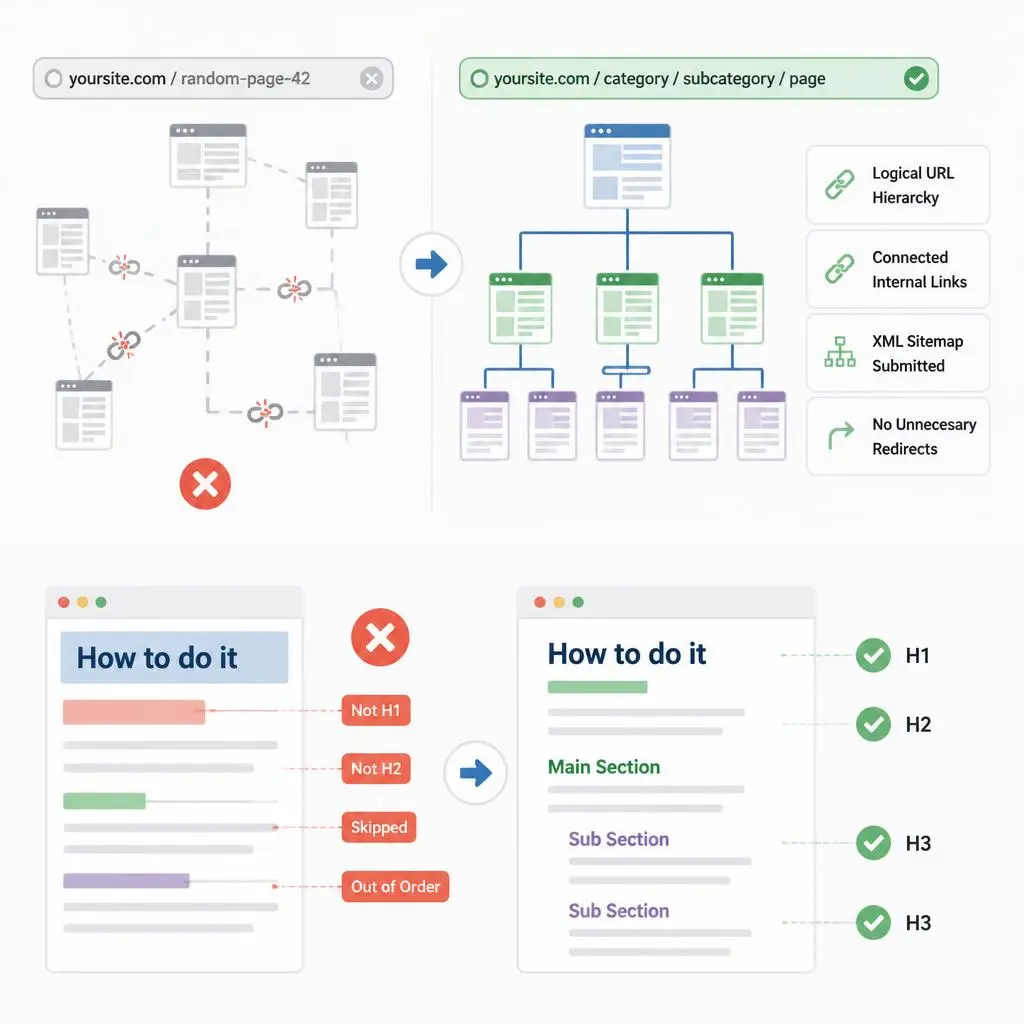
Before you write a single word of content, your site’s structure determines whether Google – or an AI crawler summarizing your page for an Overview – can even understand what you’re offering. If you want the deeper breakdown of what a properly SEO-friendly website design actually looks like structurally, that’s worth a separate read – but the short version is below.
How Structure Impacts Crawling
Think of your site architecture as a building’s floor plan. If Google’s crawler has to wander through five broken hallways to find your best content, it either gives up or deprioritizes what it does find. Clean architecture means:
- A logical URL hierarchy (category → subcategory → page, not a flat mess of random slugs)
- Internal links that actually connect related content, not orphaned pages sitting alone
- An XML sitemap that’s current and actually submitted in Search Console
- No unnecessary redirect chains eating up crawl budget
Clean Code and Heading Hierarchy
This is where most small business sites quietly sabotage themselves. One H1 per page. H2s for main sections. H3s nested under the H2 they belong to – never skipped, never used just because a line of text needed to look bold. Google uses this hierarchy to understand what your page is actually about, and so does the AI generating a summary of it.
If you’ve never audited your own heading structure, open your browser’s inspector and check. You’ll likely find at least one page where “How to do it” is styled like an H3 but isn’t actually tagged as one – or worse, is tagged as one but breaks the outline. This costs nothing to fix. It just costs attention.
Optimizing Existing Content (The Low-Hanging Fruit)
Here’s the counterintuitive part: your fastest path to more traffic in 2026 probably isn’t a new blog post. It’s an old one.
Update, Don’t Just Add
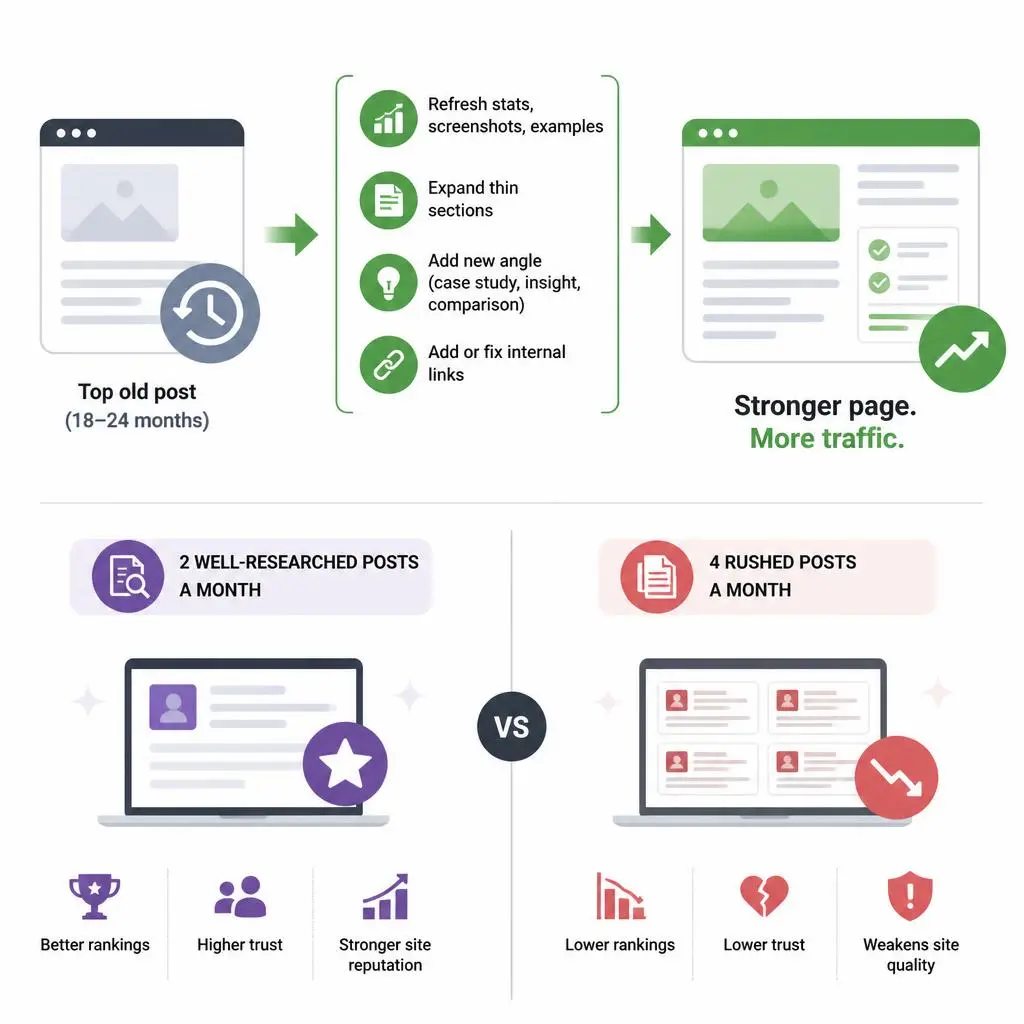
Pick your top 10 traffic-driving or highest-potential posts from the last two years. For each one:
- Refresh outdated statistics, screenshots, and examples
- Expand thin sections that never fully answered the reader’s question
- Add a genuinely new angle – a case study, a counterpoint, an updated tool comparison
- Fix or add internal links to newer, relevant content on your site
Not sure what cadence actually makes sense? Our guide on how often you should update your website breaks the schedule down by content type, security, and performance – it’s a good reference before you commit to a refresh calendar.
Google has a documented preference for pages that show ongoing maintenance and depth, not sites that publish once and abandon. A refreshed 18-month-old post with better internal linking will often outperform a rushed new one.
Consistent Quality Beats Quantity
If you’re choosing between publishing four rushed posts a month or two thoroughly researched ones, take the two. A thin post doesn’t just fail to rank – it can drag down how Google perceives the overall quality of your site. Every published page is a data point search engines use to judge you. Make each one count.
Technical SEO: Stopping Traffic Leaks

You can do everything above perfectly and still lose traffic – because technical issues don’t discriminate. They tax every visitor, every crawl, every ranking signal.
Fixing the Bottlenecks
- Mobile speed: Google indexes mobile-first. If your desktop site is fast but your mobile version drags past 3 seconds, you’re bleeding both rankings and visitors.
- Memory limits and server errors: A site throwing intermittent 500 errors or hitting PHP memory limits looks unreliable to both users and crawlers.
- Broken links: Dead internal links waste crawl budget and kill user trust. Dead external links signal neglect.
None of these issues are visible until you go looking for them, which is exactly why they’re free to fix but easy to ignore. If you’ve never run this kind of audit on your own site, our breakdown of WordPress maintenance for small business walks through the exact monthly checklist – updates, backups, speed checks, broken link scans – that catches these leaks before they compound.
The Wall: Where Free Tactics Stop Working
Here’s the truth nobody selling “free traffic hacks” wants to say out loud: if your site is slow, poorly coded, or built on a theme held together with duct-taped plugins, no amount of content optimization saves you. You can write the best article on the internet and still lose the reader at a 4-second load time, before they ever read a word.
This is the real ceiling on zero-budget SEO. Time and skill can fix content, structure, and on-page signals. They generally can’t fix a fundamentally broken technical foundation – that usually needs deeper diagnostic work.
While the free strategies above are essential for building a baseline, technical debt can eventually become a ceiling that DIY fixes can’t break. If you’ve reached a point where your site’s core architecture is limiting your growth, or you need a professional-grade foundation to ensure your SEO efforts actually convert, my Affordable SEO Web Design Services are built to solve exactly those infrastructure bottlenecks. It’s about moving from “fixing things” to having a site that works as an automated growth engine.
Actionable Free Traffic Checklist for 2026
A practical list you can start today, no budget required:
Image SEO
- Use descriptive, hyphenated file names (small-business-seo-checklist.webp, not IMG_2041.jpg)
- Write alt text that describes the image for someone who can’t see it – not stuffed keywords
- Compress images before upload; WebP over JPEG/PNG wherever possible
Mobile Responsiveness
- Test every page on an actual phone, not just a browser resize
- Check tap target sizes – buttons too close together frustrate mobile users and hurt engagement signals
- Verify your mobile menu and forms actually function, not just display
Community Discussions
- Answer real questions on Reddit, niche forums, and Quora where your expertise is genuinely useful – not as a link-drop, but as a real answer that happens to link back when relevant
- Monitor Google’s “People Also Ask” boxes for your topics and answer those exact questions on your site
- Engage in LinkedIn or industry-specific communities where your target audience actually spends time
Track Before You Tweak
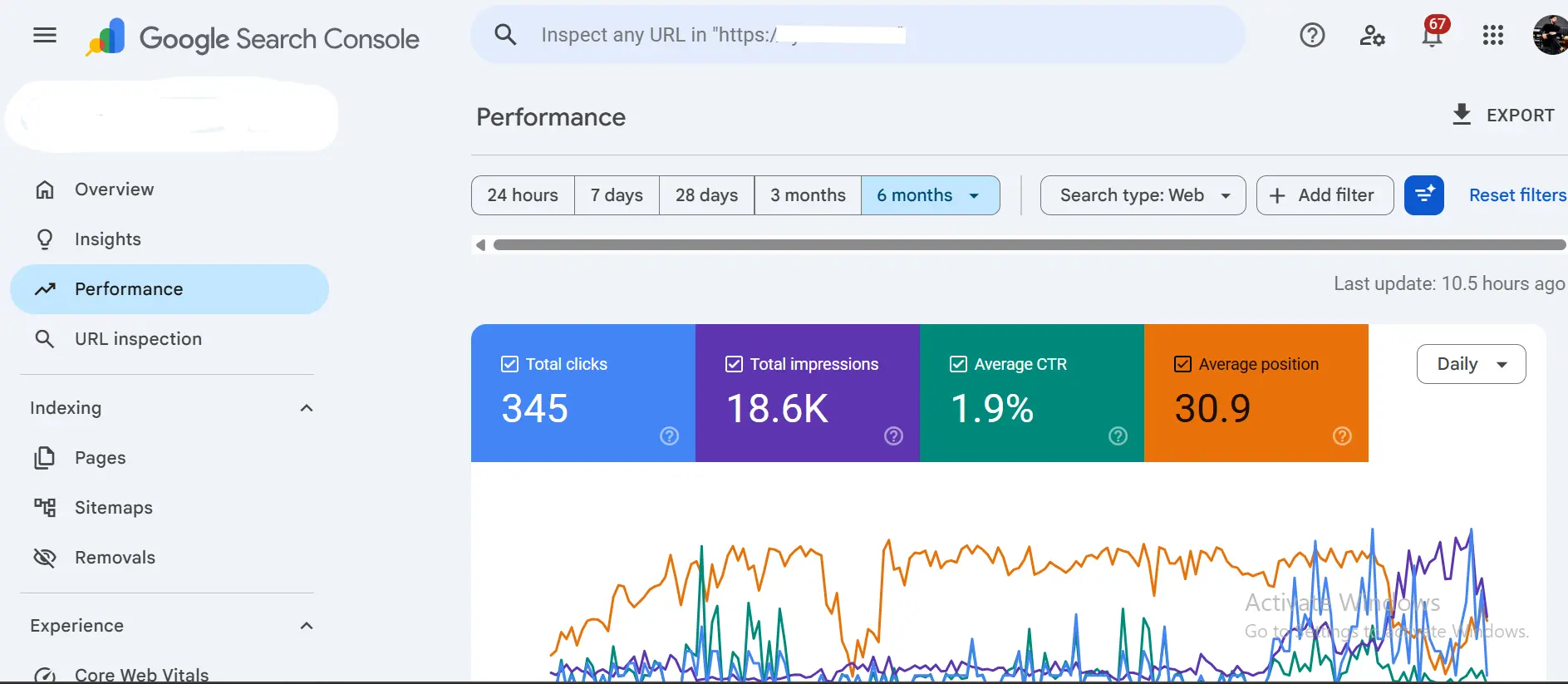
- Google Search Console tells you exactly how Google sees your site – which pages are indexed, which ones have crawl errors, and which search queries are already bringing you impressions and clicks. If a page isn’t ranking, this is the first place to check why.
- Google Analytics shows you who’s actually visiting – their location, device type, and behavior once they land. Combine this with Search Console data and you get a full picture: what Google shows people, and what those people do next.
Conclusion
Zero-budget SEO in 2026 isn’t about tricks – it’s about where you choose to spend your limited resource: time. Clean architecture, refreshed content, technical hygiene, and consistent free-traffic habits will move the needle more than any amount of money thrown at ads that stop working the moment you stop paying.
But there’s a point where time alone isn’t enough. If your site’s technical foundation is holding you back, that’s not a failure of the free approach – it’s just where free resource allocation hits diminishing returns and a professional foundation becomes the smarter investment.
If you’ve worked through this checklist and want a second opinion on where your site stands, visit the homepage to see our full approach, explore the WebsiteMaintenance Services built specifically for this stage, or contact us for a straightforward look at your site.
FAQs
1.Is zero-budget SEO actually effective in 2026, or is it outdated advice?
It’s effective, but the mechanism has shifted. Free SEO still works because it relies on genuine content quality and technical hygiene – both of which Google rewards more, not less, as AI-generated content floods the web. What’s outdated is expecting speed. Free SEO is a long game measured in months, not weeks.
2.How is free SEO different from paid growth strategies?
Paid growth (ads, sponsored placements) buys you visibility instantly but stops the moment budget stops. Free SEO builds a compounding asset – content and structural improvements that keep working long after you’ve moved on to the next task. The trade-off is time: paid is fast and finite, free is slow and cumulative.
3.Can a small business realistically compete without any SEO budget?
Yes, especially in a niche or local market. Larger competitors often have bloated, poorly maintained content because they’re outsourcing at scale. A small business owner who understands their own audience and puts in consistent, thoughtful work can genuinely out-rank a bigger name on specific, relevant queries.
4.When does it make sense to stop doing SEO for free and hire help?
When the bottleneck shifts from “I haven’t done the work yet” to “I’ve done the work and the site still isn’t performing.” That’s usually a sign the constraint is technical (speed, architecture, hosting) rather than content-related, and it’s the point where professional diagnosis saves more time than it costs.
5.Do I need a Google Search Console account to actually track any of this for free?
Yes, non-negotiable. Search Console is the only free tool that shows you what Google actually sees – indexing errors, mobile usability issues, and which queries are already bringing impressions. Skipping it means you’re optimizing blind.
6.What’s the single biggest zero-budget mistake small businesses make?
Publishing new content on top of a broken foundation. Writing ten new posts on a site with a 3-second load time and a messy heading structure is like advertising a store with a locked front door. Fix the architecture first, then scale content.
7.Can AI tools replace paid SEO tools like Ahrefs or Semrush for a zero-budget strategy?
Partially. Free versions of Google Keyword Planner, Search Console, and PageSpeed Insights cover the essentials – search volume, indexing, and speed diagnostics. What they won’t give you is competitor backlink data or historical ranking trends, so treat this as “good enough to start,” not a permanent substitute.
8.How long before free SEO tactics show measurable traffic growth?
Realistically, 3 to 6 months for a newer or smaller site, faster if you’re updating already-indexed content with some existing authority. Anyone promising results in weeks with zero budget is selling you a fantasy, not a strategy.