

Quick Answer:
Wireframe Pillar | Key Focus | Why It Matters |
Homepage & Navigation | Search bar, category menus, top-bar promos | Guides shoppers to products fast, reduces bounce |
Product Listing Page (PLP) | Filters, sorting, image consistency | Speeds up product comparison and browsing |
Product Detail Page (PDP) | Image placement, CTA hierarchy, social proof | Directly drives the add-to-cart decision |
Checkout & Cart UX | Guest checkout, progress steps, trust badges | Reduces friction and cart abandonment |
Trust Signals & Footer | Contact info, policies, security badges | Builds credibility and final purchase confidence |
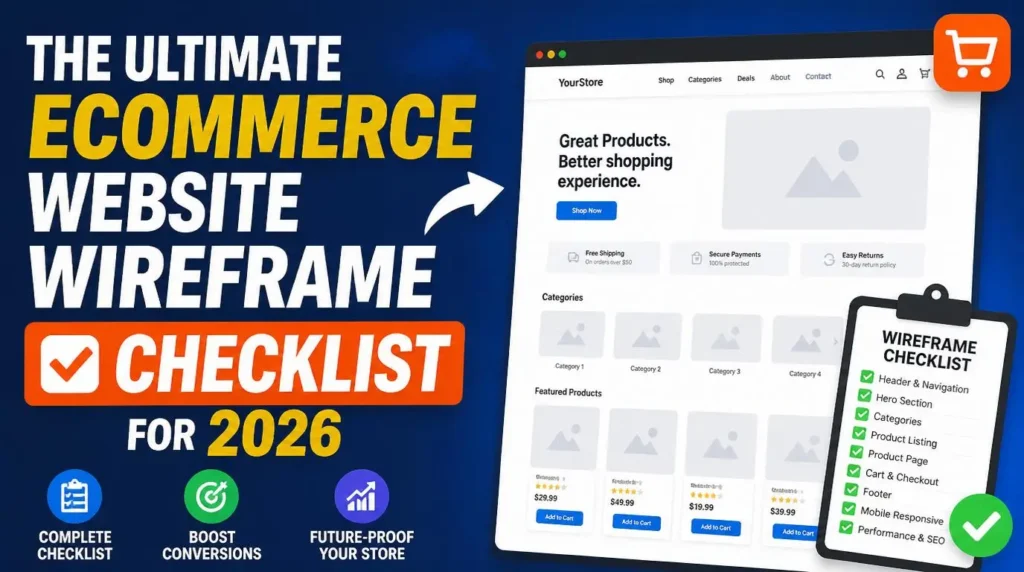
An ecommerce website wireframe is a structural blueprint that maps layout, navigation, and UX decisions before design begins. It covers homepage flow, product listing pages, product detail pages, checkout, and trust signals – reducing development time and improving conversion rates from launch.
A high-converting ecommerce store isn’t an accident – it’s the result of a decision made before a single design element gets placed: the wireframe. While most business owners obsess over color schemes and product photography, the stores that actually convert visitors into buyers were planned at the structural level first. A solid ecommerce website wireframe is the difference between a store that guides shoppers toward checkout and one that leaves them confused, distracted, or gone in ten seconds flat.
This isn’t a “nice to have” step reserved for big-budget agencies. It’s the foundation every successful online store – big or small – is built on.
Why You Need an Ecommerce Wireframe (The Foundation)

A wireframe is a low-fidelity, structural sketch of your website – no colors, no branding, no polished imagery. Just boxes, labels, and layout logic. Think of it as the architectural drawing for a house: nobody pours concrete before knowing where the walls go, and nobody should build a product page before knowing where the price, reviews, and buy button sit.
For ecommerce specifically, wireframing solves three problems that design alone can’t fix.
It forces UX decisions before visual decisions.
When you jump straight into a tool like Elementor and start picking fonts and colors, you’re making aesthetic choices before solving the harder problem: how does a visitor move from homepage to cart to checkout without friction? Wireframes strip away the visual noise so you can focus purely on user flow – where the eye lands first, the shortest path to purchase, and where a shopper might get stuck or distracted. A clear SEO strategy built alongside this layout planning ensures your store is structured for both users and search engines from day one.
It catches structural problems early, when they’re cheap to fix.
Moving a box on a wireframe takes thirty seconds. Restructuring a fully designed and developed product page takes hours, sometimes days. Catching a missing trust signal, a buried search bar, or an overcrowded navigation menu at the wireframe stage costs almost nothing. Catching the same issue post-launch costs you traffic, conversions, and developer time – which is also why ongoing website maintenance becomes far easier when the underlying structure was planned correctly from the start.
It aligns everyone before money is spent on design.
Business owner, designer, and developer often picture the finished store differently. A wireframe puts that picture on screen early, so feedback happens before pixels are polished – not after, when changes are expensive and morale is low. This planning stage also directly supports conversion rate optimization, since every layout decision is made with the buying journey in mind rather than as an afterthought.
For small business owners building on WordPress with tools like Elementor, this step matters even more. Page builders make it tempting to design as you go, dragging widgets into place without a plan. That approach works for a single landing page. It falls apart fast on an ecommerce site with dozens of templates – homepage, category pages, product pages, cart, checkout – all needing consistent, conversion-focused layout logic. A wireframe gives you that consistency before you ever open the builder, and it also protects WordPress performance by avoiding the bloated, patched-together layouts that slow sites down over time.
The Ultimate Wireframe Checklist
Once you understand why wireframing matters, the next step is knowing exactly what to map out. Below are the five pillars every ecommerce wireframe needs to cover before development begins.
1. Homepage & Navigation Flow

Your homepage is the traffic director for your entire store. Get the navigation wrong, and shoppers bounce before they ever see a product.
- Search bar placement: Position it prominently in the header, ideally with autocomplete suggestions mapped out at the wireframe stage – this is often the fastest path to purchase for returning or intent-driven shoppers.
- Category menu structure: Plan a clear, shallow hierarchy. Three levels deep is usually the practical limit before shoppers start losing patience.
- Top-bar promotions: Reserve space for shipping thresholds, discount codes, or seasonal offers – these convert browsers into buyers when placed above the fold.
- Hero section logic: Decide whether the hero promotes a campaign, a bestseller, or a value proposition – and wireframe the CTA button placement accordingly.
- Mobile navigation: Sketch the hamburger menu and bottom navigation bar separately; mobile shopping behavior is different enough to deserve its own layout pass.
2. Product Listing Page (PLP) Optimization
The PLP is where shoppers compare options. A cluttered or inconsistent layout here kills momentum fast.
- Filter placement: Left-side filters work well for desktop; collapsible top filters work better for mobile. Wireframe both states.
- Sorting options: Map out where “Price: Low to High,” “Best Sellers,” and “Newest” sit – usually top-right, never buried.
- Image consistency: Every product thumbnail should follow the same aspect ratio and background style. Inconsistent images make a store feel unfinished, even with great products.
- Grid vs. list view: Decide which default view suits your catalog size, and wireframe the toggle if you’re offering both.
- Quick-view functionality: If you want shoppers to preview a product without leaving the PLP, plan that modal layout now – not after development starts.
3. Product Detail Page (PDP) Conversion Layout
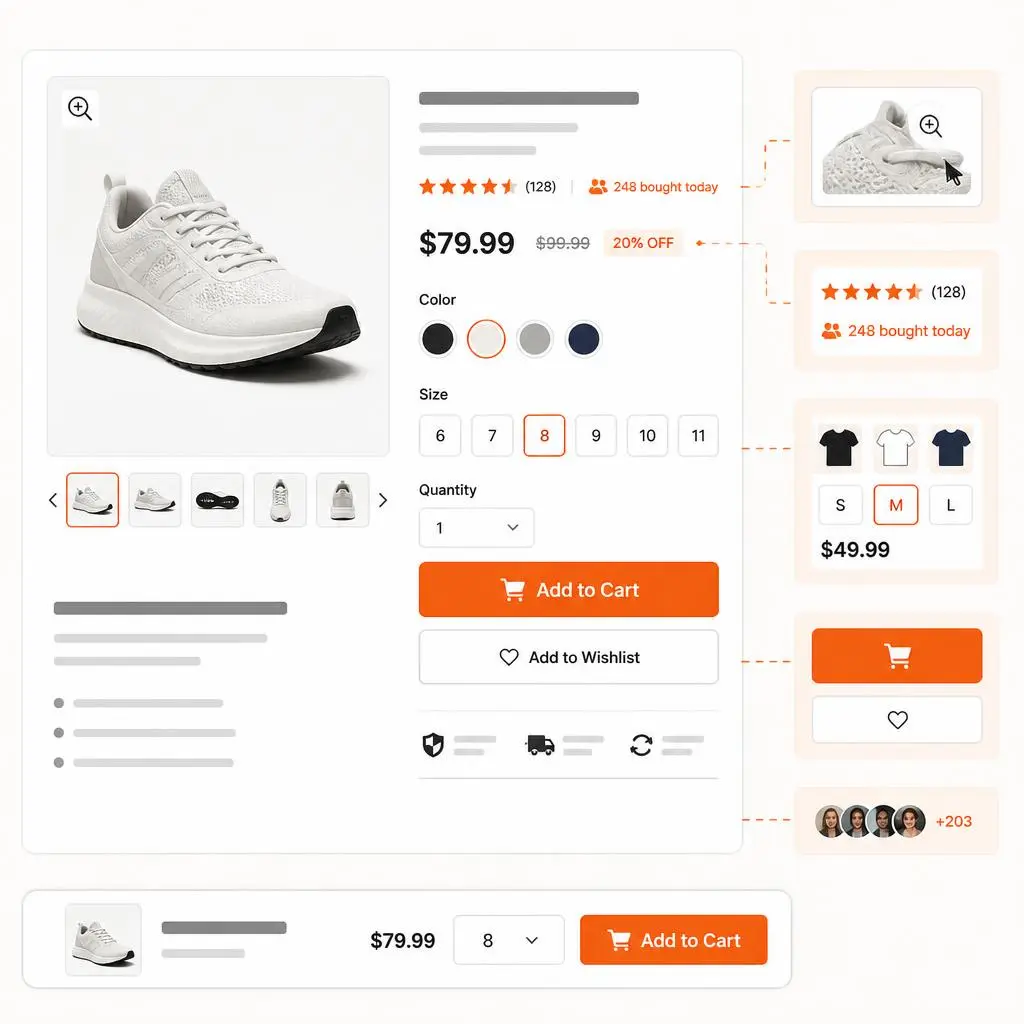
This is where buying decisions actually happen. Every element on the PDP should earn its place by either informing or persuading.
- Image placement: Lead with a large primary image, supported by a thumbnail gallery or carousel. Wireframe zoom-on-hover or tap behavior here too.
- CTA button hierarchy: “Add to Cart” should dominate visually. Secondary actions like “Add to Wishlist” need to stay visually subordinate so they don’t compete for attention.
- Social proof placement: Reviews, star ratings, and “X people bought this today” messaging should sit close to the CTA – proximity matters for conversion.
- Price and variant selection: Map out how size, color, or bundle options display, and make sure the price updates dynamically based on selection.
- Sticky add-to-cart bar: For longer PDPs, plan a sticky bar that follows scroll so the CTA is never out of reach.
4. Checkout & Cart UX
Every extra click in checkout is a chance for a shopper to abandon. This section of your wireframe should obsess over friction reduction.
- Guest checkout option: Wireframe this as the default path – forcing account creation before purchase is one of the top causes of cart abandonment.
- Progress indicators: Show shoppers exactly how many steps remain (e.g., Cart → Shipping → Payment → Confirmation).
- Trust badges: Plan placement for security badges, accepted payment icons, and money-back guarantees near the payment fields – this is where hesitation peaks.
- Editable cart summary: Quantity adjustments and item removal should be possible without leaving the checkout flow.
- Shipping cost transparency: Wireframe shipping cost visibility as early as possible – ideally before the final payment step, not as a surprise at the end.
5. Trust Signals & Footer Elements

The footer is the last thing a hesitant shopper checks before deciding whether your store is legitimate. Don’t treat it as an afterthought.
- Contact information: Phone number, email, and physical address (if applicable) build immediate credibility.
- Policy links: Return policy, shipping policy, and privacy policy should be one click away, not buried three pages deep.
- Security and payment badges: Repeat these in the footer, even if they appear at checkout – redundancy reinforces trust.
- Customer service access: Live chat widgets or support links reduce pre-purchase hesitation for uncertain buyers.
- Social proof recap: A row of trust indicators – “10,000+ orders shipped,” review platform badges, or press mentions – works well as a final confidence boost.
How to Build Your Wireframe
You don’t need advanced design skills to put this checklist into practice. Tools like Moqups, Balsamiq, or Figma let you sketch low-fidelity layouts using drag-and-drop blocks – no coding required. Start with mobile, since most ecommerce traffic now arrives on phones, then adapt the layout for desktop. The goal at this stage isn’t visual polish; it’s confirming that every element from the checklist above has a defined place before you open a builder like Elementor to start designing for real.
From Planning to Execution: Let the Experts Handle Your Build
While having a roadmap is essential, the actual execution is where most stores win or lose. Designing a site that is both aesthetically pleasing and technically sound requires a deeper level of expertise. If you want to move beyond planning and ensure your store is built for speed, scalability, and sales, our team is here to handle the heavy lifting. As a Hire Ecommerce Developer Expert, we specialize in turning these strategic wireframe blueprints into fully functional, high-conversion online stores. We take care of the entire technical lifecycle-from architecture and UI/UX planning to final development-ensuring your platform is built to dominate your niche from day one.
Conclusion
A strong wireframe is the single highest-leverage step in building an ecommerce store that actually converts. It shortens development timelines, prevents expensive redesigns, and ensures every page – from homepage to checkout – is built around how shoppers actually behave, not just how a site looks.
If you’d rather skip the trial and error and have an experienced team turn this checklist into a fully built, conversion-ready store, RyDesk can help. Our team handles ecommerce wireframing, design, and development end to end, with a process built specifically around WordPress and Elementor. Explore our WebsiteMaintenance Services to see how we approach ecommerce projects, or contact us to start planning your store’s foundation today.
FAQs
1.What’s the difference between a wireframe and a mockup?
A wireframe is a structural, low-fidelity layout showing where elements sit, with no colors or branding. A mockup is a high-fidelity visual design built after the wireframe, showing exactly how the finished page will look.
2.How long does ecommerce wireframing take?
For a standard store with homepage, PLP, PDP, cart, and checkout templates, wireframing typically takes 3-7 days, depending on catalog complexity and how many stakeholder revisions are needed.
3.Can I use a wireframe directly in Elementor?
Yes. Wireframes act as a reference guide while building in Elementor – you replicate the planned structure using sections, columns, and widgets, ensuring the final design matches the approved layout logic before any styling is applied.
4.Do I need a wireframe for a small ecommerce store too?
Yes. Even a small catalog benefits from wireframing – it prevents layout inconsistencies, speeds up development, and ensures the buying journey is planned before design work begins, regardless of store size.
5.What’s the cost of skipping the wireframe stage?
Skipping wireframes often means 30-40% more development hours spent on revisions, plus higher risk of UX issues post-launch that directly hurt conversion rates and increase customer drop-off.
6.Should wireframes be done for mobile or desktop first?
Start with mobile. Most ecommerce traffic now comes from mobile devices, so designing the constrained layout first ensures critical elements aren’t cut or compressed when adapting to desktop.
7.Who should be involved in the wireframing process?
Ideally, the business owner, designer, and developer all review the wireframe together. This alignment catches misunderstandings early, before time and budget are spent on full visual design and development.
8.Can a wireframe be updated after development starts?
It’s possible but costly. Wireframes are meant to lock in structural decisions early – changes made after development begins typically require rebuilding sections, which adds time and budget.